
The web app is where you read an opponent's player study, replay the rounds of any match, and keep the lineups you want to learn. Prefire reads each demo on its servers, once, and keeps the results, so anyone who needs the same demo later gets it at once.
Sign in
Open prefireapp.com/web and sign in with your FACEIT account.
Your free week starts the first time you sign in - there is nothing to enter and no card to give. The home page shows how many days of access you have left and the date they run out, and Subscribe is where you buy a period when they do. Plans covers the periods, PIX and codes.
Open a player study
A study is one opponent on one map, read from their last three matches there. Three ways open one:
- The Player study card, on the home screen: type the opponent's FACEIT nickname, or paste their profile link, pick the map, and press Open the study. It remembers the last map you picked.
- Study on a player in your FACEIT match room, with the browser extension: Study a player from your match room.
- A player's name on any match you open in the web app: their study on that match's map.
A study is drawn only once all three matches are read. Until then the page shows a chip for each and Matches read: 1 of 3. With the extension, the room of each match Prefire hasn't read opens behind the study with Watch demo lit up: click it in each, and the room sends the demo and closes itself. A chip's Open room to add opens one room by hand. Player study goes through every section.
Send it a demo
- Drop a demo on Drop a demo here, or click to choose one. It takes a
.demor a.dem.zstof up to 1.5 GB and uploads it in parts, so a flaky connection only sends a part again, not the whole file. - Click Watch demo in a FACEIT match room, with the browser extension installed and signed in. The extension sends the demo's link to Prefire instead of downloading the file, and the match opens in a new tab. There's nothing to download or upload, and a FACEIT demo is 100 to 300 MB, so this is the quick way.
In Chrome, Edge or Brave without the extension, the web app asks you to add it.
The queue
Prefire reads one demo at a time, so a new demo may wait its turn. The page shows where it is: Fetching (a demo from FACEIT's link, while Prefire downloads it), In line, Reading, then Ready. You can leave the page: the demo keeps its place and turns up under Recent demos when it's ready.
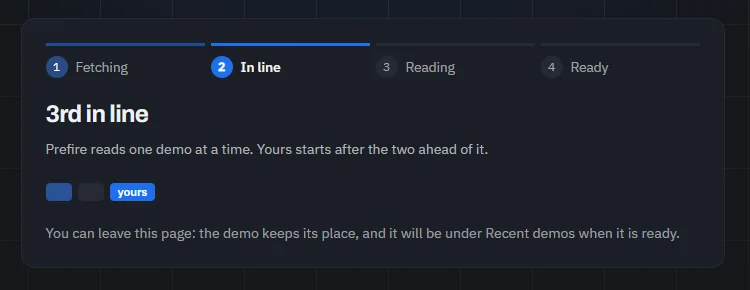
A demo that anyone has sent before opens straight away: Prefire keeps what it read. A file you drop is known by what's in it, and a demo sent from FACEIT by its match, so dropping the file of a match someone sent with the extension has it read again, as a new demo.
The match
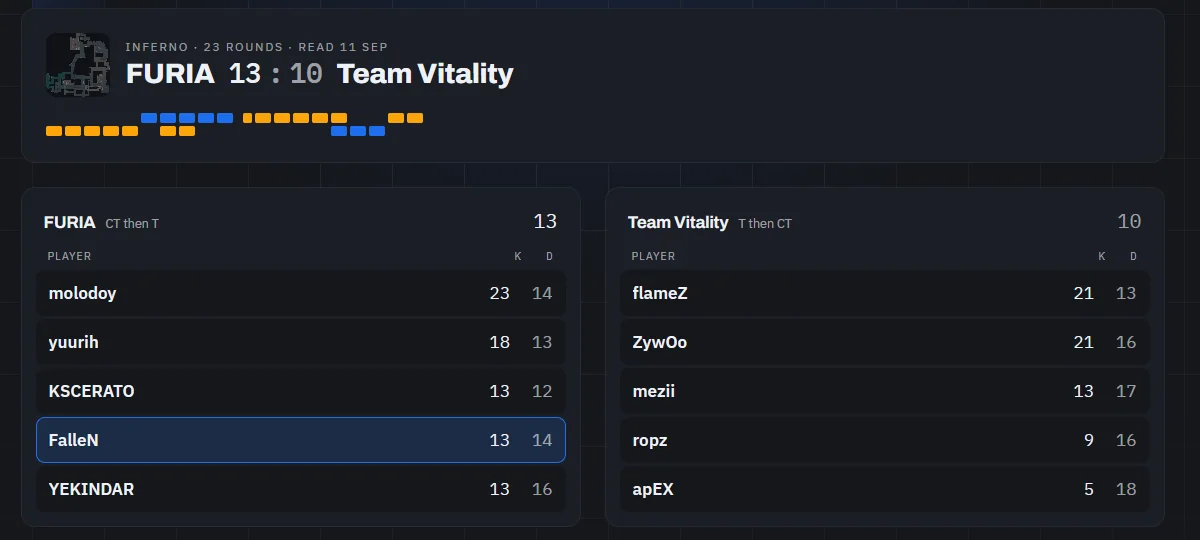
When the demo is read you see the match: the map, the score and both teams. Replay a round has a strip with a chip for every round, in the colour of the side that won it: click one, or reach it with the arrow keys and press Enter, and it replays on the radar in 2D with all ten players. The ring beside a player's name marks them in the replay.
A match is history: to study a player, click their name, and their player study on this map opens.
Save a lineup
Every flash and HE card in a study has a Save button. A saved lineup goes to your library with its throw, the keys that threw it and its setpos line, so you can learn it on an empty server before your next match on that map.
The library
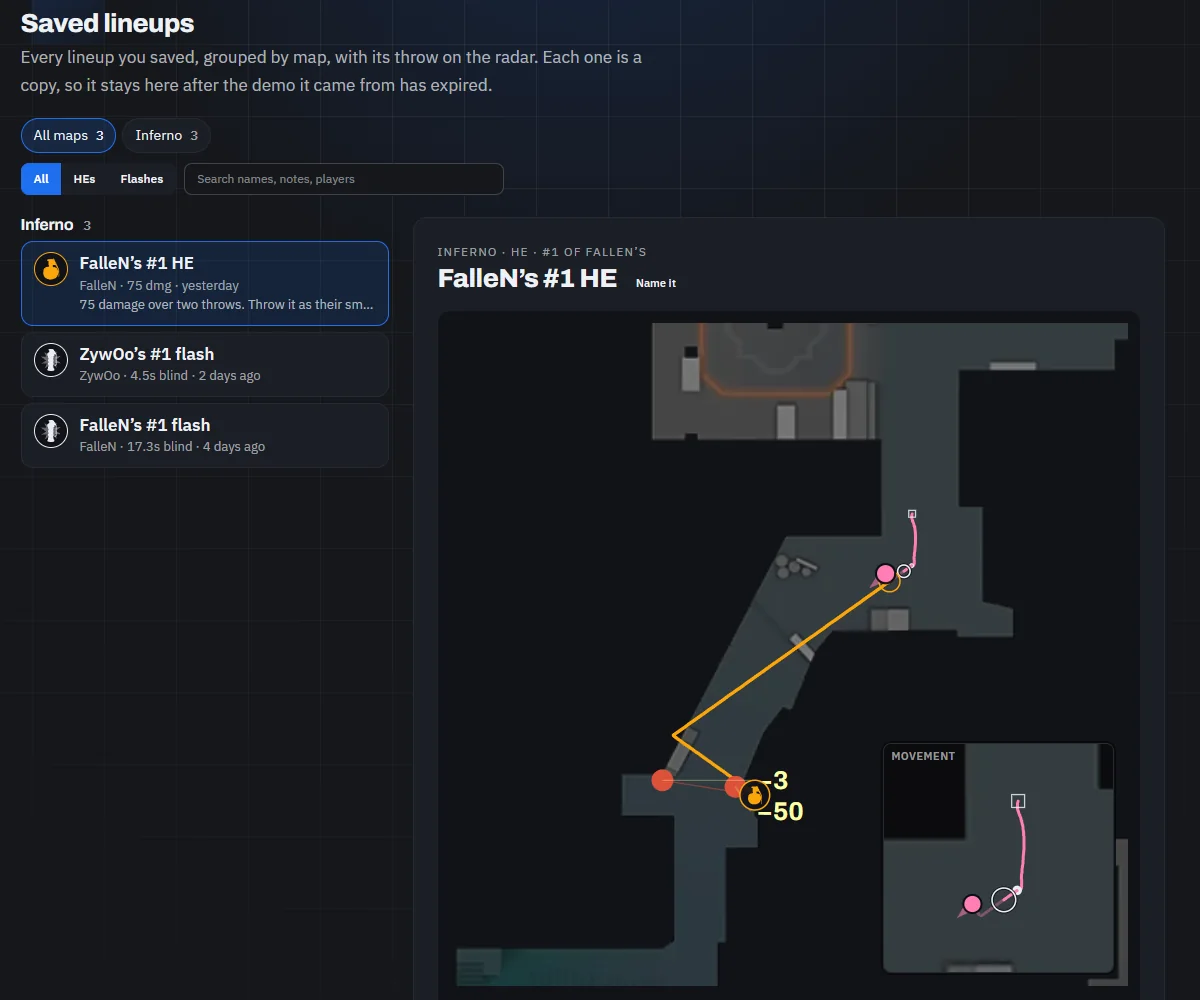
Saved lineups lists everything you've saved, grouped by map. Open one and its throw replays on the radar. You can rename it, add a note, copy its setpos or delete it. A saved lineup is a copy, so it stays after the demo it came from has gone.
Share a lineup
Open a lineup in your library and click Share, then Create link, for a link like prefireapp.com/l/... to send a teammate or a group chat. Anyone who has it can open it without signing in: the map, the throw replaying on the radar with the movement and keys that threw it, where it landed, and the setpos line to stand there.
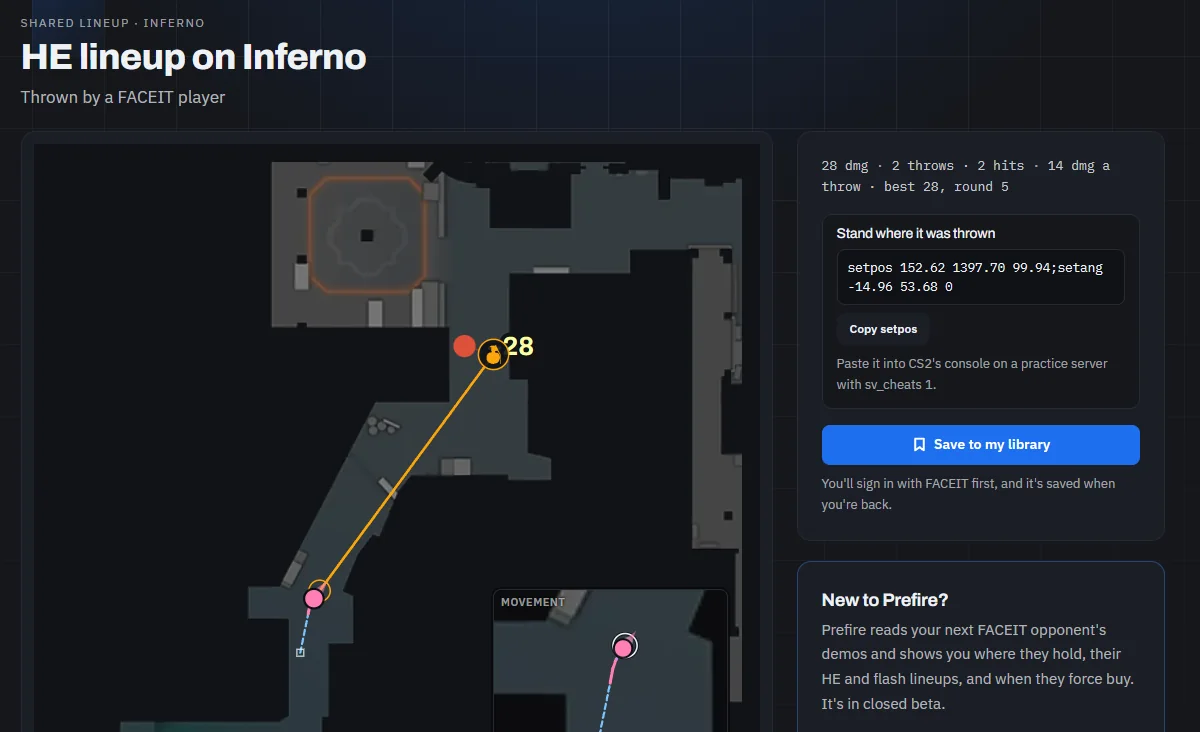
- The player's name is hidden unless you tick Show the player's name: the page says "a FACEIT player". It never shows who you are, the match the lineup came from, or the name and note you gave it.
- Saving it takes a sign-in. Whoever opens the link clicks Save to my library, signs in with FACEIT if they haven't yet, and it's saved when they're back. It's their own copy, and it counts toward their 500.
- Your library shows what it's done, under the lineup: Viewed 12 times · saved by 3. A person counts once a day.
- Stop sharing, in the same dialog, turns the link off at once, and deleting the lineup does too. Copies people saved stay theirs.
In WhatsApp, Discord or Telegram the link unfolds into a preview of the grenade and the map. Privacy says what a link shows and keeps.
History
Recent demos, on the home page, lists the demos you've sent or opened, newest first. Click one to reopen the match. When a demo's results have expired, its entry stays and says to send the demo again.
Limits
| What | The limit |
|---|---|
| Demo size | Up to 1.5 GB |
| Files | .dem and .dem.zst |
| New demos | 30 a day per account, and a study reads up to three. Opening a demo someone already sent doesn't count, but once you're at the limit a file you drop is turned away before Prefire can tell which demo it is. |
| Saved lineups | Up to 500, copies saved from a link included |
| Share links | 50 new links a day per account |
| Results | Kept for up to 90 days after the demo was last opened |
Prefire deletes the demo file as soon as it has read it, and keeps only the results.