
You don't have to go looking for demos. In your FACEIT match room, every player wears a small Prefire badge; press it and Prefire finds that player's last three matches on the map you are about to play, and opens their player study.
What you need
- The browser extension. Prefire in Chrome, Edge or Brave. Browser extension has the full setup.
- A sign-in at prefireapp.com/web. The extension takes your sign-in from that page, so open it once in the same browser. Without it the badges are still there, and the room says once: Sign in at prefireapp.com/web to study these players.
- An active trial or plan. A study needs one. The badges don't: they show either way.
Where the map and the rosters come from
The extension reads the room from FACEIT's own web API, in your browser and with your own FACEIT sign-in - the same answer the extension's match room stats are drawn from - for the two rosters and the map the veto settled on, the same thing you can see in the room yourself. Nothing is asked of Prefire until you press Study.
The badge on every player
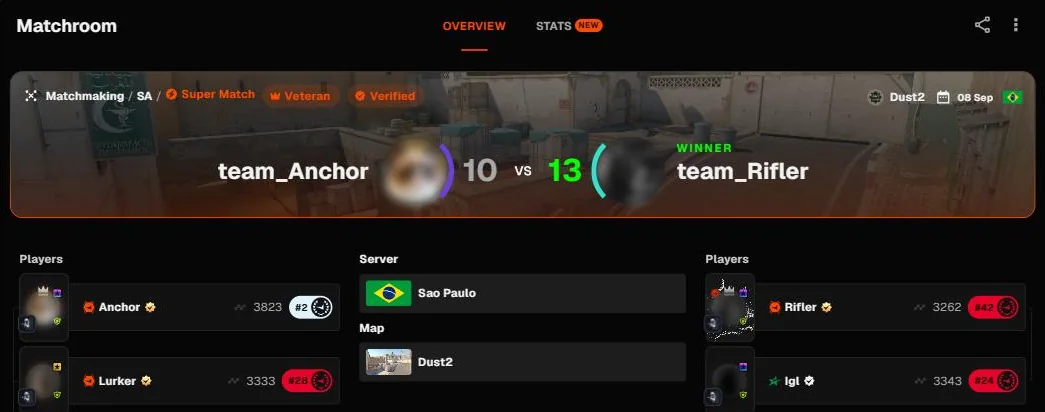
Open your match room the way you always do. On the top-left corner of each player's avatar, both teams, there is a Prefire badge. Hover it, or reach it with the keyboard, and it opens into a pill that reads Study.
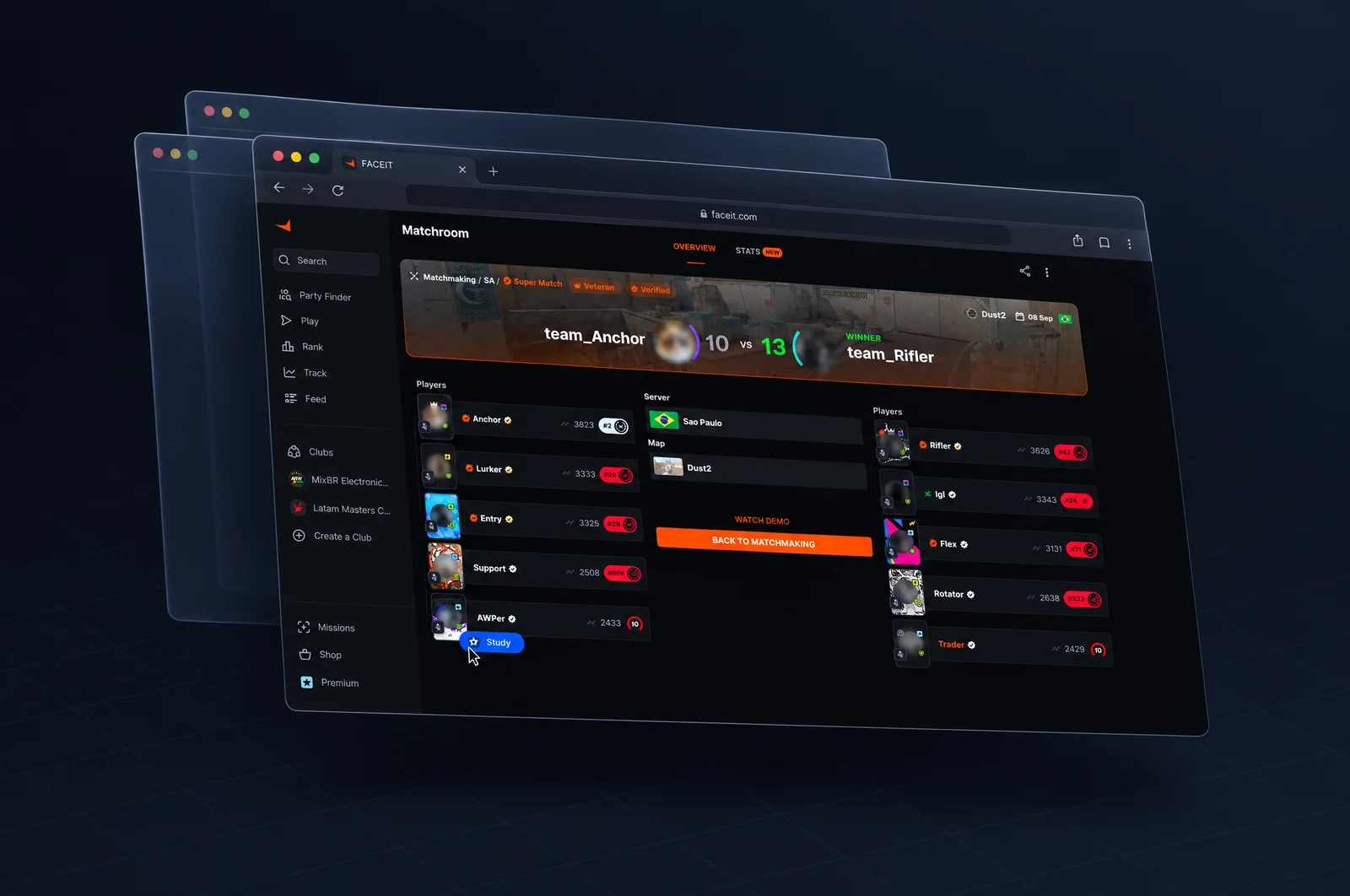
Press it and Prefire looks for that player's last three matches on this room's map. Usually that's their AWPer, or whoever anchors the site you like taking.
Before the veto ends
While the map is still being voted, Prefire has no map to search on. The badge then offers the map pool instead: pick the one you think you'll end up on and it searches that. If you guess wrong, press the badge again once the veto is over.
The extension looks at the room again every 20 seconds while the veto runs, so the moment the map is settled the badges stop asking.
While it searches
Everything a press comes to stays on that player's card. The pill says what is happening:
| The pill says | What's happening |
|---|---|
| Finding their last matches on Mirage… | Prefire is walking back through that player's history, newest first, up to their last 40 matches, for the last three on this map whose demo FACEIT still keeps. |
| Study open · fetching 2 more matches | The study is opening in a new tab, and the rooms of the two matches Prefire hasn't read yet opened behind it. A note under the badge says what to do there. |
| Study open · 3 of 3 matches read | Prefire has read all three. The study is opening in a new tab. |
| Match sent · the study adds it | You clicked Watch demo in one of the rooms, and its demo went to Prefire. |
Then the pill folds back into the badge, green when a study opened.
The study opens
The study opens in a new tab, on that player and this map. A study reads all three matches and is drawn once they're all read; until then it shows a chip for each match and Matches read: 1 of 3. Player study goes through each section. Press Study on the same player again and that tab comes forward, rather than a second one.
The rooms that open behind it
For every one of the three matches Prefire hasn't read yet, the extension opens that match's FACEIT room behind the study, with FACEIT's Watch demo button lit up. The study page asks for them too when it opens. Go through them and click Watch demo in each. The extension hands the demo straight to Prefire — nothing is saved on your PC — the room says Sent to Prefire and closes itself, and the study picks the match up once it's read. A room already open for a match is never opened twice.
Closed one by mistake? The match's Open room to add chip, at the top of the study, opens it again.
It's the one click FACEIT can't do for you: the demo's link is made by that button and lasts about five minutes.
The demo is FACEIT's, and the link is the one your own browser is given. Prefire reads it on its servers and deletes it as soon as it's read.
Notes you may see
Anything that needs more than a few words opens a small note under the badge that pressed it, with a way out and Dismiss.
| The note says | What it means | What to do |
|---|---|---|
| No recent match for this player on this map | Prefire went through their last 40 matches and none was on this map with a demo still available. FACEIT keeps a demo for about a month. | Try another player, or another map. |
| Studying a player needs a trial or plan | Seeing the rosters is free; a study isn't. | See plans opens your account. Plans and trials. |
| Your Prefire sign-in has expired | The extension's copy of your sign-in is no longer good. | Sign in again opens prefireapp.com/web. Reload the match room afterwards. |
| That's a lot of lookups for now | You've looked players up quickly enough to hit Prefire's limit. | Wait a moment and press the badge again. |
| Couldn't reach Prefire | Prefire's server didn't answer. | Try again. |
If Prefire couldn't look the room up at all — or you're not signed in — there's no badge to hang a note on, so it appears once at the bottom of the room instead, with the same way out.
The same room, on prefireapp.com/web
Keep prefireapp.com/web open in another tab and it shows the room you're in, without a reload: a You're in a match room card at the top of the home screen, with the map (or Veto in progress), the region, both teams with each player's level, your opponents first, and a Study button on every player. It does exactly what the badge does — before the veto ends it offers the map pool, and it opens the player's study in a new tab, with the missing matches' rooms behind it.
The card needs the extension: it's what tells Prefire which room you're in. While a tab is on a match room you opened, it sends that room's match id when you enter it and once a minute while you stay, and says when you leave; Prefire forgets it three minutes after the last time, so the card goes by itself if the browser closes. The card shows up within a few seconds of you entering the room and goes within a few seconds of you leaving it, even with the web app in a tab behind FACEIT's: the extension tells it each time, and it also looks every 3 seconds.
Which opponent to study is always your call.